



Outdoor Telecom Cabinet Cooling: How to Protect Network Equipment from Heat in the Gulf & Africa
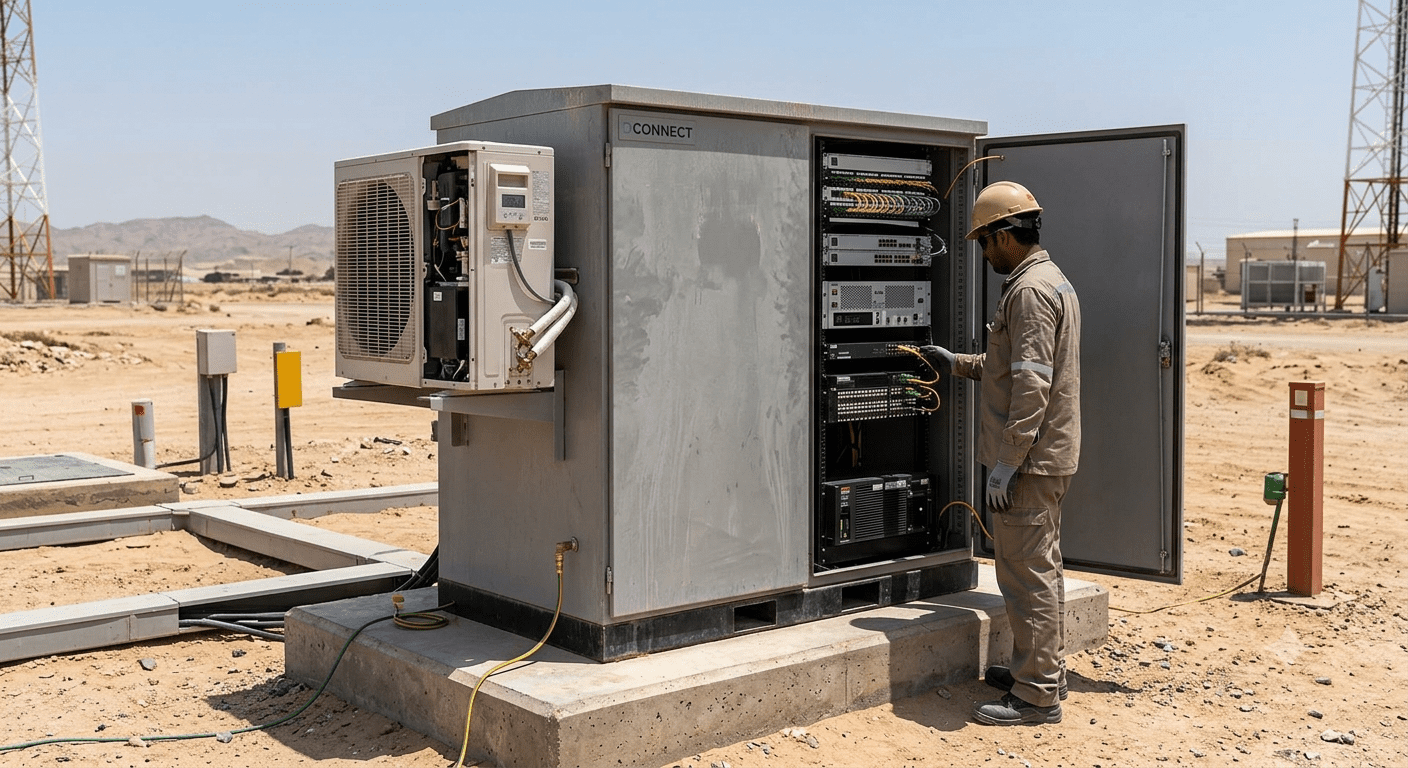
Imagine your telecom network going dark in the middle of a July afternoon in Riyadh, Dubai, or Lagos, not because of a software fault, but because the equipment inside an outdoor cabinet simply overheated. It happens more often than most network operators want to admit. Outdoor telecom cabinets house some of the most critical network infrastructure on the planet routers, switches, fiber distribution units, power modules, and more. When these cabinets are exposed to extreme ambient temperatures, intense solar radiation, dust, and high humidity, the equipment inside can fail prematurely or shut down entirely. This guide is for network engineers, telecom contractors, procurement teams, and infrastructure buyers across the GCC, East Africa, West Africa, and beyond who need to understand how outdoor telecom cabinet cooling works, why it matters, and how to choose the right solution for your environment. Outdoor telecom cabinet cooling refers to the integrated systems and techniques used to regulate the internal temperature of outdoor enclosures housing telecom and network equipment, preventing heat-related failure, extending hardware lifespan, and ensuring continuous network uptime. Why Heat Is the Number One Enemy of Outdoor Telecom Equipment Electronics and heat do not mix well. Every electronic component, from microprocessors and transceivers to power supplies and batteries, has a maximum operating temperature. Exceed that threshold, and you are looking at performance throttling, data errors, hardware alarms, or complete failure. The thermal reality in the Gulf and Africa: Ambient temperatures in the UAE, Saudi Arabia, Kuwait, Qatar, Oman, and Bahrain regularly exceed 45°C (113°F) in summer. In countries like Nigeria, Ghana, Kenya, Tanzania, Uganda, and Ethiopia, sustained temperatures of 35–42°C are common, often combined with high humidity that further limits cooling efficiency. The Real Cost of Thermal Mismanagement Industry data point: According to research standards published by ASHRAE (American Society of Heating, Refrigerating and Air-Conditioning Engineers), for every 10°C rise above the recommended operating temperature, electronic component lifespan is reduced by approximately 50%. That is a statistic no telecom operator can afford to ignore. What Is an Outdoor Telecom Cabinet? A Clear Definition An outdoor telecom cabinet, also called an outdoor network enclosure, street cabinet, field cabinet, or outdoor equipment shelter is a weatherproof, protective housing designed to hold active and passive network equipment in environments exposed to outdoor conditions: sun, rain, dust, wind, and extreme temperatures. Common Equipment Housed Inside Outdoor Telecom Cabinets At DConnect, our Industrial Outdoor Cabinets and Intelligent Outdoor Integrated Cabinets are purpose-built for these deployments, with integrated cooling options ranging from passive ventilation to active air-conditioning units all rated for the harshest outdoor environments. How Outdoor Telecom Cabinet Cooling Works: The Core Mechanisms There is no single universal cooling method for outdoor telecom cabinets. The right approach depends on your local climate, the heat load generated by equipment inside, available power, cabinet size, and the specific location of deployment. Here is a breakdown of the main cooling technologies used today. 1. Passive Ventilation (Natural Airflow) This is the simplest and most cost-effective approach. The cabinet uses filtered air vents or perforated panels to allow outside air to flow through, carrying heat away from equipment. It works well in mild climates where ambient temperatures stay below 35°C and the equipment heat load is low. 2. Forced Air Cooling (Active Fan Systems) Thermostat-controlled fans inside the cabinet create positive or negative airflow, pushing hot air out and drawing cooler air in through filtered inlets. Fan systems are effective when ambient temperatures are moderate and when the equipment inside does not produce extreme heat loads. 3. Air-to-Air Heat Exchangers A heat exchanger moves heat from inside the cabinet to outside without mixing the internal and external air streams. This keeps dust, sand, and moisture out while still dissipating heat effectively. It is a particularly popular choice in dusty environments such as desert regions in the GCC, Libya, and Egypt. 4. Integrated Air Conditioning Units (Cabinet AC) For high heat loads and extreme ambient temperatures, a dedicated cabinet air conditioner is the most reliable solution. These units are mounted directly on the cabinet and provide active cooling using a refrigerant cycle, similar to a conventional AC unit, but optimized for telecom enclosures. DConnect’s Industrial Outdoor Cabinet AC units are factory-integrated with precision cooling systems designed to maintain internal temperatures between 18–25°C even when external temperatures soar past 50°C. 5. Thermoelectric Cooling (Peltier Modules) Thermoelectric coolers use the Peltier effect to transfer heat from inside to outside the cabinet electronically, with no moving parts and no refrigerants. They are compact, silent, and highly reliable, though they are best suited for smaller cabinets and lower heat loads. Key Features to Look for in an Outdoor Telecom Cabinet with Cooling Not all outdoor cabinets are created equal. When you are buying for deployments in the Gulf or Africa, here are the specifications that genuinely matter. IP Rating (Ingress Protection) The IP rating tells you how well the cabinet is sealed against dust and water. For outdoor deployments, you generally want IP55 as a minimum, and IP65 or higher for harsh environments. IP65 means the cabinet is completely dust-tight and protected against water jets from any direction. IK Rating (Impact Protection) The IK rating measures resistance to mechanical impact, important for roadside deployments, industrial zones, and any location where vandalism or accidental impact is a risk. IK08 or IK10 is recommended for public-facing installations. Cooling Capacity and Heat Load Calculation Before selecting a cooling method, calculate the total heat load of all equipment inside the cabinet (measured in Watts). Add a 20–30% safety margin to that number when sizing your cooling unit. Under-sizing your cooling is one of the most common and costly mistakes in the field. Solar Radiation Protection (Anti-Sun Design) In the Gulf and Sub-Saharan Africa, solar radiation can add 10–15°C to the surface temperature of an outdoor cabinet beyond the ambient air temperature. Look for cabinets with double-wall construction, reflective exterior coatings (RAL 7035 light grey), and integrated sun shades or canopies. Corrosion Resistance In coastal areas like Abu Dhabi, Dubai, Muscat,
What Is a Keystone Jack and Why Every Structured Cabling System Needs One
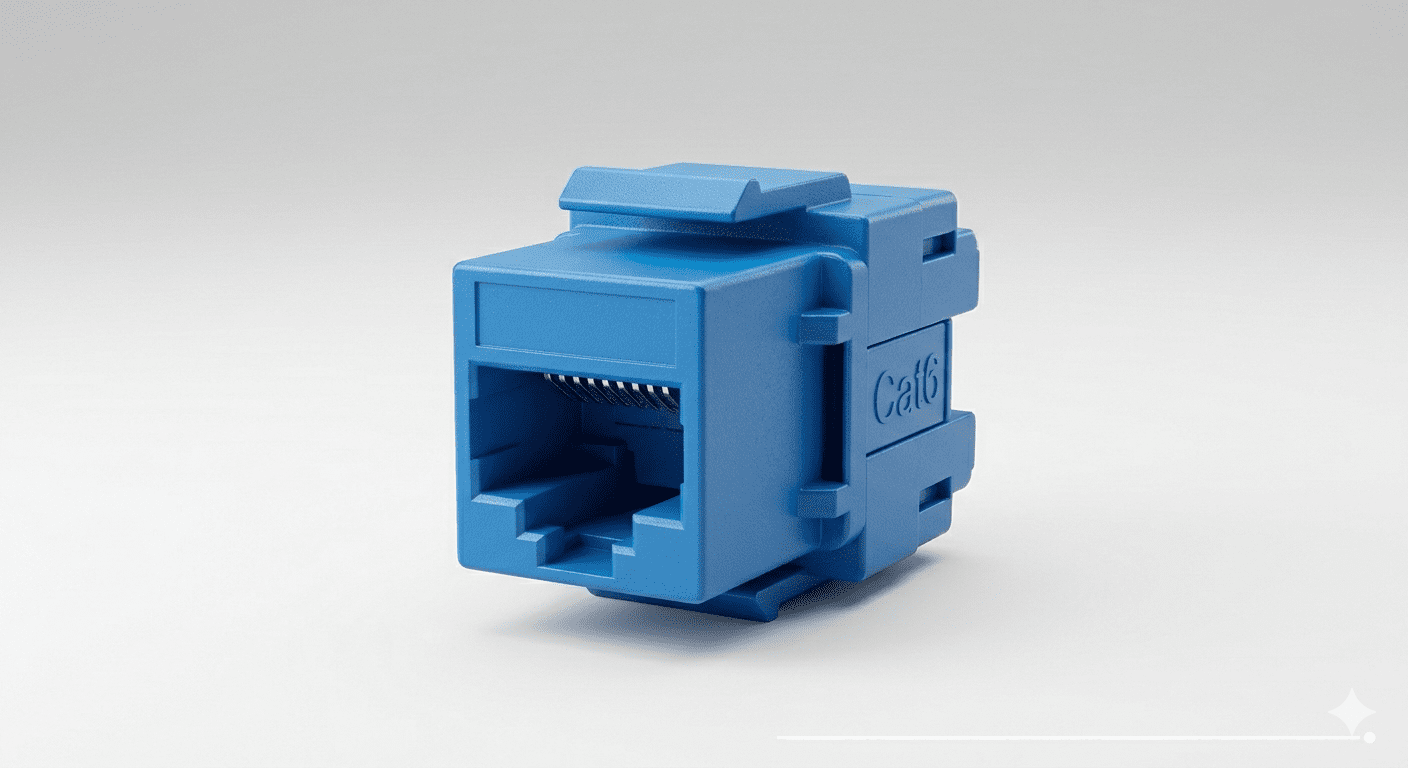
The small connector that makes or breaks your entire network. If you’ve ever looked at the back of an ethernet wall plate and wondered what that small, snapping module actually is you’re looking at a keystone jack. It’s one of the most overlooked yet most essential components in any structured cabling system, from a home office in Dubai to a corporate data center in Riyadh, Lagos, or Nairobi. A keystone jack is a standardized, modular connector that snaps into wall plates, patch panels, and surface mount boxes. It terminates ethernet cables usually Cat5e, Cat6, or Cat6A and provides the female RJ45 port that you plug your patch cord into. Without it, your cabling infrastructure is incomplete. It doesn’t matter how good your switches, routers, or fiber runs are if your termination points are unreliable, your network suffers. In this guide, we’ll break down exactly what a keystone jack is, the types available, how to install one correctly, and why choosing the right one matters more than most people think. Whether you’re an IT manager in Abu Dhabi, a network installer in Nairobi, or a business owner setting up a new office in Accra, this guide gives you everything you need to make informed decisions. What Is a Keystone Jack? (The Definitive Answer) A keystone jack is a small, modular insert designed to fit into a standardized “keystone” cutout a rectangular opening with a specific trapezoid shape that allows the jack to click securely into place. The name “keystone” comes from the shape of the opening, which resembles a keystone in architecture. Here’s the short, direct answer for voice search and featured snippets: A keystone jack is a modular network connector that terminates ethernet cables (like Cat6) and provides an RJ45 female port for network access. It snaps into wall plates or patch panels and is the core termination component in structured cabling systems. Key facts: Types of Keystone Jacks, Which One Do You Need? Not all keystone jacks are the same. Choosing the wrong type for your application can result in signal loss, poor performance, or failed certifications. Here’s a breakdown of the most common types: 1. Cat5e Keystone Jack 2. Cat6 Keystone Jack 3. Cat6A Keystone Jack 4. Cat7 / Cat8 Keystone Jack 5. Shielded vs Unshielded Keystone Jacks 6. Toolless Keystone Jacks 7. Specialty Keystone Modules How Does a Keystone Jack Work? Understanding the mechanism helps you install it correctly and troubleshoot problems. Here’s how it works step by step: 1. Cable Entry: The ethernet cable (e.g., Cat6) enters the back of the keystone jack housing. 2. Wire Separation: Each of the 8 individual conductors (4 pairs) is separated and laid into color-coded IDC slots on the back of the jack. 3. Punch-Down Connection: Using a punch-down tool (or your fingers for toolless variants), each wire is pressed into its IDC slot. The IDC blade cuts through the insulation and makes a gas-tight electrical connection no soldering needed. 4. Signal Transmission: When a patch cord is plugged into the front RJ45 female port, it completes the circuit, allowing data, PoE power, or voice signals to pass through. 5. Snap-In Mounting: The jack clicks into the keystone cutout of a wall plate, patch panel, or surface mount box, securing it in place. The entire connection, when done correctly, maintains the cable’s electrical characteristics impedance, attenuation, return loss to the required category standard. Ethernet Wall Jack Installation: Step-by-Step Guide Installing a Cat6 keystone jack is a skill every IT professional and structured cabling technician needs to master. Here’s a practical, field-tested guide: Tools You’ll Need: Step 1: Prepare the Cable Strip back approximately 25–30mm of the outer jacket using your cable stripper. Be careful not to nick the inner conductors. Untwist the pairs only as much as needed for Cat6, keep untwisting to a minimum (no more than 13mm) to preserve crosstalk performance. Step 2: Identify the Wiring Standard Check whether you’re using T568A or T568B. T568B is more common in commercial installations across the GCC, Africa, and internationally. Be consistent throughout your installation mixing standards causes cross-pair wiring faults. T568B Color Code: Step 3: Lay Wires into the IDC Slots Most keystone jacks have color-coded slots labeled with both T568A and T568B markings. Lay each wire into its corresponding slot. Keep pairs as twisted as possible right up to the punch-down point. Step 4: Punch Down the Wires Use your 110-type punch-down tool (set to “cut” side facing outward) and press firmly on each wire. The tool will seat the wire and cut the excess simultaneously. For toolless keystone jacks, simply press the cap down until it clicks. Step 5: Snap Into the Wall Plate Push the terminated keystone jack into the wall plate cutout until it clicks. If there are unused cutouts, insert keystone blanks to keep dust out and maintain a professional appearance. Step 6: Mount and Test Mount the wall plate to the wall box or surface mount box. Use a cable tester to verify all 8 pins are wired correctly, there are no shorts or open circuits, and the installation meets category performance specifications. Pro Tip: Always label your wall plates and patch panel ports using a consistent numbering scheme. This saves hours of troubleshooting later especially in large installations across campuses, hotels, or industrial facilities. Why Keystone Jacks Are Critical to Structured Cabling Systems Structured cabling is the physical backbone of any modern network. And the keystone jack is the last inch, the physical endpoint where your carefully routed, carefully installed cable meets the end user’s device. Here’s why quality matters at this junction: 1. Performance at the Edge A poor-quality keystone jack can degrade the entire channel. Even if you’ve installed premium Cat6A cable throughout, a cheap or incorrectly terminated jack can reduce your channel to Cat5e performance or worse. Standards like TIA-568 and ISO/IEC 11801 specify end-to-end channel performance the keystone jack is part of that channel. 2. PoE Reliability Power over Ethernet (PoE) is everywhere IP cameras, wireless access points,
How Outdoor Telecom Cabinets Protect Your Equipment The Complete Guide for Operators in the Gulf & Africa
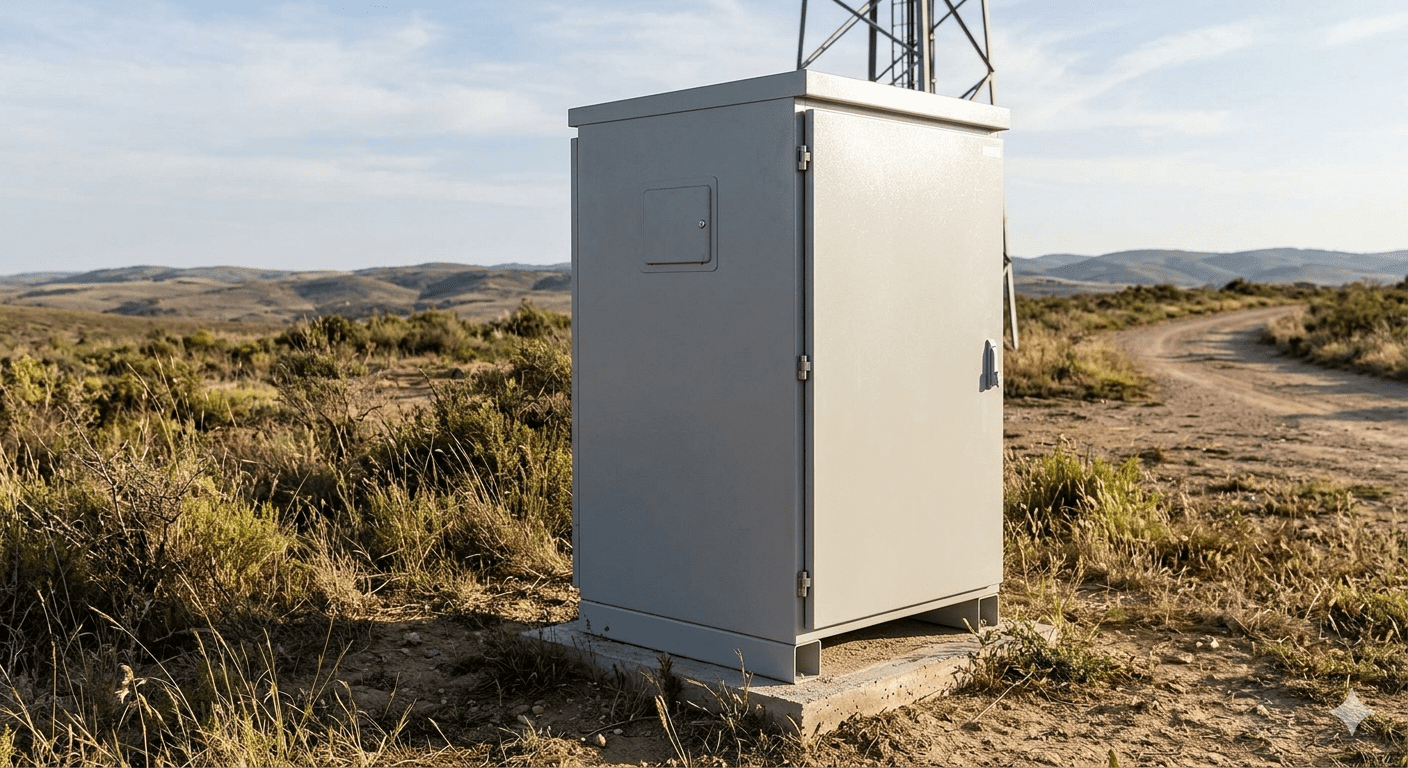
Imagine deploying thousands of dollars worth of sensitive telecom equipment, routers, switches, batteries, fiber terminations, only to have them fail within months because of sand, heat, humidity, or theft. This is not a hypothetical. It is a daily risk faced by telecom operators, ISPs, and network engineers across the Gulf, Africa, and beyond. Outdoor telecom cabinets are purpose-built enclosures designed to shield critical network hardware from harsh environmental conditions, physical threats, and extreme temperatures. Whether you are rolling out fiber-to-the-home (FTTH) infrastructure in Dubai, deploying base station equipment across the Nigerian landscape, or extending last-mile connectivity in rural Kenya, the right outdoor cabinet is not optional, it is the backbone of reliable network operations. In this guide, we break down exactly how outdoor telecom cabinets work, what protections they offer, how to choose the right one for your environment, and how to get the best equipment delivered to your region. If you are an operator, procurement manager, or network engineer, this is the guide you have been looking for. What Is an Outdoor Telecom Cabinet? An outdoor telecom cabinet, also called an outdoor network cabinet, street cabinet, or industrial outdoor enclosure, is a weatherproof, vandal-resistant housing unit used to protect telecommunications and networking equipment deployed in outdoor environments. These cabinets can house a wide range of equipment including fiber optic distribution frames, ONU/OLT devices, routers, switches, power distribution units (PDUs), batteries, and UPS systems. They are designed to operate in temperature extremes, high humidity, dusty deserts, coastal salt spray, and high-security locations. In short: if your telecom hardware lives outside, it needs to live inside an outdoor cabinet. Environmental Protection, How Outdoor Cabinets Handle the Elements The biggest enemy of outdoor telecom equipment is the environment. Here is how a quality outdoor cabinet fights back. 2.1 IP Rating: Your First Line of Defense Every professional outdoor telecom cabinet carries an IP (Ingress Protection) rating defined by IEC 60529. This two-digit code tells you exactly how well the cabinet blocks solids and liquids: IP55: Protected against dust and low-pressure water jets. Suitable for light outdoor use. IP65: Fully dust-tight and protected against water jets from any direction. Ideal for roadside and field deployment. IP66: Dust-tight with protection against powerful water jets. Best for coastal regions and high-rainfall environments. IP67/IP68: Submersion-resistant. Used in flood-prone areas or underground installations. For operators deploying in humid regions like Nigeria, Congo, Kenya, Uganda, Tanzania, or Djibouti, IP65 or higher is the recommended minimum. In the Gulf, UAE, Saudi Arabia, Qatar, Oman, Kuwait, Bahrain: where sandstorms are frequent, full dust-tight protection (IP6X) is essential. 2.2 Thermal Management and Temperature Control Heat is the silent killer of electronic equipment. Outdoor cabinets deployed in the Gulf can face ambient temperatures exceeding 50°C. Without proper thermal management, internal temperatures can rise to damaging levels within minutes. Modern outdoor telecom cabinets use multiple cooling methods: Passive ventilation: Natural airflow design with filtered vents for moderate climates. Active fans with air filters: Forced air circulation for higher heat loads while keeping dust out. Air conditioner (AC) integration: Built-in or externally mounted climate control units for high-density equipment or extreme heat. Commonly seen in industrial outdoor cabinet AC models across Saudi Arabia and Iraq. Heat exchangers: Sealed cooling without external air exchange, ideal for extremely dusty or coastal environments. Thermoelectric cooling: For smaller, low-power applications in remote locations. D Connect’s Industrial Outdoor Cabinet AC range is specifically engineered for the high-temperature environments seen across the Gulf and MENA region, maintaining safe internal temperatures regardless of what is happening outside. 2.3 Corrosion Resistance and Material Quality In coastal areas like Djibouti, Somalia, Bahrain, Kuwait, and parts of South Africa, salt spray corrosion is a major concern. Quality outdoor cabinets address this with: Cold-rolled steel with polyester powder coating: Provides strong corrosion resistance and UV stability. 304 or 316 stainless steel options: For the most demanding marine and coastal deployments. Galvanized internal frames: Prevents internal rust even if condensation occurs. Double-wall construction: Creates an insulating air gap that reduces temperature transfer and condensation. 2.4 UV and Solar Radiation Protection In regions like Morocco, Egypt, Libya, Ghana, and across the Arabian Peninsula, direct sunlight and UV radiation can degrade plastics and heat equipment rapidly. Outdoor cabinets mitigate this through: UV-stabilized powder coatings that resist fading and cracking. Light-colored or RAL-specific exterior finishes that reflect rather than absorb solar heat. Roof canopies or sun shields on larger cabinets to reduce direct solar loading. Security Features: Protecting Your Equipment from Theft and Tampering In rapidly developing telecom markets across Africa and the Middle East, equipment theft and vandalism are real operational concerns. A good outdoor telecom cabinet is a physical security system in its own right. 3.1 Locking Mechanisms Three-point locking systems: Secure the door at three points simultaneously, making forced entry extremely difficult. Cam locks with master key systems: Allow network operators to use a single key across multiple cabinet deployments. Electronic locking: Supports audit trails, PIN codes, or remote access management for high-security deployments. Anti-drill and anti-pick cylinder locks: Used in high-crime-risk urban deployments across Lagos, Nairobi, Johannesburg, and Cairo. 3.2 Structural Integrity 2mm or 3mm steel body construction: Resists bending, drilling, and cutting attempts. Concealed hinges: Prevents hinge-pin removal attacks. Base anchor bolt patterns: The cabinet mounts to a concrete plinth, preventing the entire unit from being removed. Tamper-proof fasteners: Special screws that cannot be removed with standard tools. 3.3 Smart Monitoring Options D Connect’s Intelligent Outdoor Integrated cabinets go further, offering: Door-open sensors and alerts sent to network operations centers (NOC). Temperature and humidity sensor integration. CCTV-ready mounting points for integration with surveillance systems. Remote monitoring compatibility through SNMP or cloud dashboards. Durability and Build Standards, What to Look For Not all outdoor cabinets are built equally. When evaluating durability, here are the key standards and certifications to look for. 4.1 Key Industry Standards IEC 60529: IP rating for ingress protection (the global standard). ETSI EN 300 019: Specifies environmental conditions for telecom equipment installed outdoors. IK Rating (IEC 62262): Impact protection rating.
How to Choose the Right Network Cabinets for Your Office or Data Center | GCC & Africa
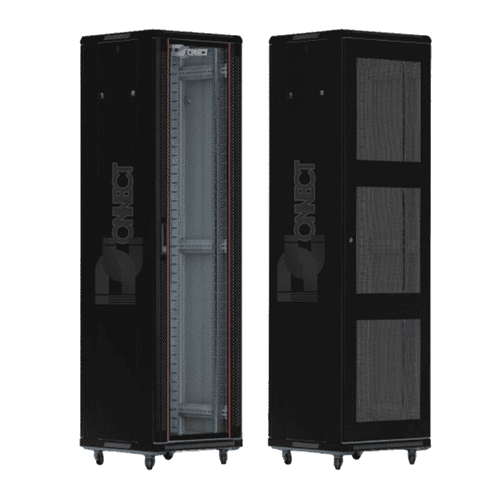
Picture this your business is growing, your team is expanding, and your IT infrastructure is getting more complex by the day. You’ve invested in servers, switches, patch panels, and cabling. But then comes the question nobody warns you about: Where does all of this equipment actually live? The answer is a network cabinet. And choosing the wrong one, the wrong size, wrong ventilation, wrong security level, can turn your entire IT investment into a reliability nightmare. Network cabinets are the unsung heroes of any office or data center setup. They protect your equipment, keep your cabling organized, manage heat, and secure your most critical hardware from unauthorized access. Get them right, and your infrastructure runs smoothly for years. Get them wrong, and you’re dealing with overheating servers, tangled cables, and expensive downtime. Whether you’re equipping a corporate office in Dubai, a data center in Riyadh, or an enterprise network hub in Nairobi or Johannesburg, this guide will walk you through everything you need to make the right cabinet decision, confidently and without wasting money. What Is a Network Cabinet and Why Does It Matter? A network cabinet (also called a server cabinet, rack enclosure, or IT cabinet) is a standardized enclosure designed to house and protect network equipment, including servers, switches, routers, patch panels, UPS units, and cable management accessories. Quick answer for featured snippet A network cabinet organizes and protects IT equipment in one secure, ventilated enclosure. It comes in various sizes (measured in rack units), materials, and configurations to suit offices, server rooms, and large-scale data centers. Network cabinets are not just storage boxes. They: Choosing the right cabinet from day one avoids costly retrofits, equipment damage, and operational headaches down the line. Factor #1: Getting the Size Right (U Size, Width & Depth) Size is the first and most critical, decision you’ll make when choosing a network cabinet. Understanding Rack Units (U) Cabinet height is measured in rack units (U). One U = 1.75 inches (44.45mm). Most standard equipment is 1U, 2U, or 4U tall. Common cabinet sizes and their best use cases: Cabinet Size Rack Units Best For Wall-mount (6U–12U) 6–12U Small offices, reception areas, single-floor setups Mid-size floor cabinet 18U–27U Medium offices, branch offices Full-size floor cabinet 42U–48U Data centers, enterprise server rooms Extra-tall cabinet 52U+ High-density data center environments Width and Depth Matter Too How to Calculate the Right Size Example: If your equipment totals 28U, choose a 42U cabinet, not a 30U one. That extra headroom saves you from buying a second cabinet six months later. For businesses across the GCC and Africa expanding their IT infrastructure, always plan for growth. Buying a cabinet that fits today but has no room for tomorrow is one of the most common and costly mistakes buyers make. Factor #2 — Ventilation and Thermal Management Heat is the number one killer of IT equipment. A poorly ventilated cabinet can raise internal temperatures to dangerous levels within minutes, even in an air-conditioned room. Why Airflow Management Is Critical According to the Uptime Institute, approximately 70% of data center outages are related to cooling and thermal management failures. Even in smaller office environments, overheating is a leading cause of server failure and unexpected downtime. Types of Ventilation in Network Cabinets 1. Passive ventilation 2. Active ventilation (fan-assisted) 3. Hot aisle / cold aisle configuration What to Look For For businesses in warmer climates across the GCC and Sub-Saharan Africa, thermal management in your cabinet isn’t optional, it’s essential. Ambient temperatures in server rooms in these regions can be significantly higher than in cooler climates, putting extra strain on equipment without proper cabinet ventilation. Factor #3: Security Features You Shouldn’t Ignore Your network cabinet houses some of your most valuable and sensitive business assets. Physical security is just as important as cybersecurity. Security Levels to Consider Basic security: Intermediate security: High security: Additional Security Considerations For enterprise clients in regulated industries banking, telecoms, government across UAE, Saudi Arabia, and South Africa, a high-security cabinet is not a luxury. It’s a compliance requirement. Factor #4: Cabinet Material and Build Quality Not all cabinets are built the same. The material and construction quality directly affect durability, weight capacity, and long-term performance. Common Materials Cold-rolled steel (CRS): Stainless steel: Aluminum: What to Check Factor #5: Wall-Mount vs. Floor-Standing: Which Is Right for You? Wall-Mount Cabinets Best for: Advantages: Limitations: Floor-Standing Cabinets Best for: Advantages: Limitations: Rule of thumb: If you have servers or plan to grow your infrastructure significantly within 2–3 years, always go floor-standing. Factor #6: Open Frame Racks vs. Enclosed Cabinets Open Frame Racks Enclosed Cabinets For most office environments and server rooms across the GCC and Africa, enclosed cabinets are the recommended choice they offer the right balance of security, airflow management, and equipment protection. Factor #7: Accessories That Make a Real Difference A network cabinet without the right accessories is like a wardrobe with no hangers. These add-ons make your cabinet functional, organized, and future-proof. Essential accessories: When sourcing network cabinets, always check what accessories are included and which ones are available as add-ons from your supplier. Current Trends in Network Cabinet Technology The network cabinet industry is evolving fast. Here’s what forward-thinking buyers in the GCC and Africa are investing in: According to MarketsandMarkets, the global data center rack and enclosure market is projected to grow significantly through 2028, driven by increasing data center buildouts across emerging markets — including Africa and the Middle East. The Telecommunications Industry Association (TIA) provides standards like TIA-942 specifically for data center infrastructure, including cabinet and rack requirements a useful reference for enterprise buyers. Frequently Asked Questions 1. What size network cabinet do I need for a small office? For a small office with a switch, patch panel, and basic networking gear, a 12U to 18U wall-mount or floor-standing cabinet is usually sufficient. Always add 20–30% extra space for future growth. If you have or plan to add a server, move up to at least a 24U floor-standing cabinet. 2. How
Common Network Cabling Mistakes and How to Avoid Them
If your network keeps dropping, slowing down, or throwing unexplained errors, the problem might not be your internet plan or your router. It might be hiding right inside your walls, under your floors, or tucked behind your server rack. Poor network cabling is one of the most overlooked causes of business downtime. And the frustrating part? Most cabling mistakes happen during installation, meaning you’re paying for a problem that was built in from day one. Whether you’re setting up a new office in Dubai, upgrading a data center in Abu Dhabi, or expanding your network infrastructure across multiple floors, understanding common cabling mistakes can save you thousands of dirhams in repairs, replacements, and lost productivity. In this guide, we’ll walk you through the most frequent structured cabling mistakes businesses make and exactly how to avoid them. This is written for business owners, IT managers, and procurement teams who want a network that actually works. What Is Structured Cabling and Why Does It Matter? Structured cabling is an organized system of cables, connectors, and hardware that forms the backbone of your business network. Think of it as the nervous system of your office, it carries data, voice, and video signals between all your devices. A properly installed structured cabling system: When cabling is done right, you barely notice it. When it’s done wrong, you feel it every single day. Mistake #1: Skipping Proper Cable Labeling This is one of the most common and most expensive mistakes in network cabling. When cables aren’t labeled, your IT team has to play a guessing game every time something goes wrong. Which cable goes where? Which port connects to which room? Nobody knows. What happens without proper labeling: How to avoid it: A labeled cabling system doesn’t just help your team, it protects your investment for years to come. Mistake #2: Using the Wrong Cable Category Not all cables are created equal. Using Cat5e when your application needs Cat6A is like putting a bicycle tire on a truck. Common cable types and their uses: Cable Type Max Speed Best For Cat5e 1 Gbps Small offices, basic networking Cat6 10 Gbps (up to 55m) Medium businesses, VoIP Cat6A 10 Gbps (up to 100m) Data centers, high-density environments Cat8 25–40 Gbps Server rooms, high-performance computing Fiber Optic 100 Gbps+ Long distances, backbone connections How to avoid it: For businesses in UAE connecting multiple floors or buildings, fiber optic cables are often the smarter investment. They offer higher speeds, zero electromagnetic interference, and much longer distances than copper alternatives. Mistake #3: Poor Cable Routing and Pathways Cables that are thrown in randomly run next to power lines, bent sharply around corners, or stuffed into overcrowded conduits cause more problems than most people realize. Problems caused by poor routing: How to avoid it: A structured approach to routing isn’t just about performance. In many commercial buildings across UAE, it’s also a safety and compliance requirement. Mistake #4: Ignoring Cable Length Limits Every cable type has a maximum run length. Go beyond it, and your signal weakens, your speeds drop, and your connection becomes unreliable. Maximum distances for common cable types: How to avoid it: Many businesses in large commercial complexes in Dubai or Abu Dhabi underestimate their cable run lengths. Always measure twice, install once. Mistake #5: Improper Termination and Connector Quality Even the best cable in the world will underperform if it’s not terminated correctly. Loose connections, damaged connectors, or incorrect wiring sequences are silent performance killers. Signs of bad termination: Common termination mistakes: How to avoid it: Mistake #6: No Cable Management System A tangle of cables behind a server rack or inside a comms room isn’t just ugly, it’s a serious operational problem. What poor cable management causes: How to avoid it: A clean, well-managed cable infrastructure tells your clients and partners that you take IT seriously. It also cuts your maintenance time dramatically. Mistake #7: Skipping Testing and Documentation Many installers skip proper testing to save time. This is a false economy, untested cables lead to real problems down the line. Testing should include: Documentation should include: How to avoid it: According to BICSI, proper documentation is one of the most critical components of a reliable structured cabling system and one of the most frequently neglected. Standards bodies like the Telecommunications Industry Association (TIA) also provide guidelines that certified contractors should follow on every project. How Fiber Optic Cables Solve Many of These Problems If you’re dealing with long cable runs, interference issues, or future-proofing concerns, fiber optic cabling is often the right answer. Why businesses across UAE and the GCC are switching to fiber: Fiber optic cable types to know: When selecting fiber optic cables, work with a trusted fiber optic cable supplier who can help you choose the right type, grade, and connector for your specific application. Frequently Asked Questions 1. What is structured cabling and why does my business need it? Structured cabling is a standardized system of cables and hardware that forms your network infrastructure. Unlike ad-hoc wiring, structured cabling is organized, documented, and scalable. Any business that relies on computers, phones, security cameras, or internet connectivity needs a proper structured cabling system to ensure reliability and performance. 2. How do I know if my current cabling is causing network problems? Common signs include slow internet speeds despite a good service plan, frequent disconnections, some ports working while others don’t, and high error rates. A professional cable test using tools like a Fluke tester can confirm whether cabling is the issue. 3. What cable category should I use for my office in UAE? For most modern offices, Cat6 or Cat6A is recommended. If you have long runs or are building a data center, consider fiber optic cables. A certified cabling specialist can assess your specific layout and requirements to make the best recommendation. 4. Can I mix Cat5e and Cat6 cables in the same network? Technically yes, but your network will only perform at the speed of the slowest cable.
Top Tips for Maintaining Your Data Center Network Infrastructure in the UAE
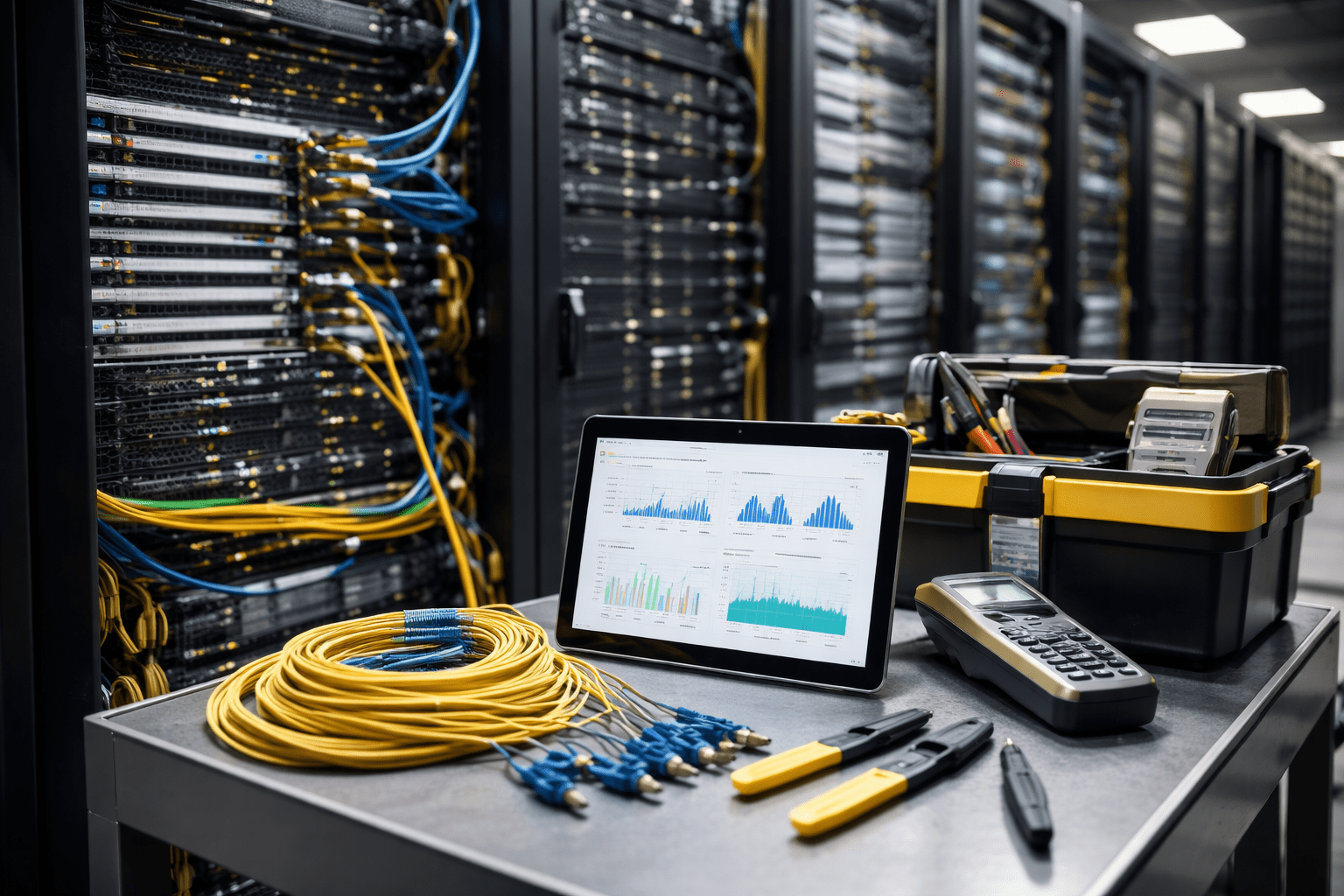
Maintaining a robust data center network infrastructure is essential for businesses across the UAE to ensure seamless operations and secure communication. The reliability and efficiency of your data center can significantly impact your company’s productivity, customer satisfaction, and bottom line. From proper cable management to optimizing cooling systems, and enhancing uptime, it is critical to address each aspect of your network infrastructure to avoid costly disruptions. In this article, we’ll dive into practical tips and best practices that will help you maintain a high-performing network infrastructure in your data center. Whether you are planning to upgrade your current setup or maintain an existing one, we have you covered with actionable insights that are both informative and easy to implement. Optimize Cable Management for a Clean and Efficient Setup Efficient cable management is one of the first steps to maintaining a high-performance data center network. Well-organized cables not only improve airflow but also reduce the risk of accidental disconnections and system failures. Tip: Fiber optic cables are an excellent solution for networking due to their reliability and high-speed data transfer capabilities. Consider investing in fiber optic cable types like single-mode and multi-mode for varying needs. Maintain Proper Cooling Systems to Prevent Overheating Inadequate cooling can lead to overheating, which is one of the leading causes of hardware failure in data centers. Optimizing your cooling systems can increase the lifespan of your equipment and ensure continuous uptime. By effectively managing the temperature, you can prevent equipment from shutting down unexpectedly, which improves the reliability of your network. Regularly Test and Optimize Network Performance Testing and optimizing your network regularly helps identify bottlenecks and vulnerabilities that could affect data flow. Regular checks also allow you to address any hardware or software issues proactively before they lead to downtime. Ensure your fiber optic cables for high-speed internet are optimized for performance to reduce latency and increase data transfer speeds. Invest in High-Quality Fiber Optic Cables Choosing the right fiber optic cables for your data center is crucial. The type and quality of cables you use impact the performance of your network. When selecting network fiber optic cables, consider factors like distance, network load, and your required data speeds. Implement Redundancy Systems to Maximize Uptime Uptime is everything for a data center. A single point of failure can lead to significant downtime, affecting your business operations and potentially causing financial loss. Building redundancy into your infrastructure is crucial for maintaining fiber optic cable uptime and avoiding disruptions. Regularly Upgrade Hardware and Software Keeping your network infrastructure up to date is vital to maintaining optimal performance. Regular upgrades to both hardware and software ensure that your system benefits from the latest features, security patches, and performance improvements. Upgrading to the best fiber optic cable for data centers ensures your network infrastructure remains capable of handling growing data demands. FAQ Section 1. What is structured cabling, and why is it important? Structured cabling is a standardized system for wiring your data center that helps in organizing network connections and optimizing overall performance. 2. How do I choose the right fiber optic cable for my business? Consider your business needs, including data speed requirements and the distance over which data will travel, to determine whether you need single-mode or multi-mode fiber. 3. What are the benefits of using fiber optic cables? Fiber optic cables offer faster data transmission, higher bandwidth, and longer distances without signal loss compared to traditional copper cables. 4. Can fiber optic cables be used for both business and home networks? Yes, fiber optic cables are suitable for both home and business networks, offering high-speed internet and reliable communication. 5. How often should I replace fiber optic cables? Fiber optic cables typically have a long lifespan. However, you should replace them if they become damaged or outdated as your network requirements grow. 6. What’s the difference between single-mode and multi-mode fiber optic cables? Single-mode fiber is used for long-distance communication, while multi-mode fiber is better suited for shorter distances, such as within a data center. 7. How do I maintain my data center network infrastructure? Ensure proper cable management, optimize cooling systems, regularly test network performance, and implement redundancy systems to maximize uptime. 8. How does cooling affect network performance? Proper cooling prevents overheating, which can cause equipment to fail and reduce the reliability of your network. 9. How can I test my network for performance issues? Use bandwidth and latency testing tools to identify any bottlenecks or performance issues in your network. 10. What is the best fiber optic cable for 10Gb networks? High-quality fiber optic cables, such as single-mode fiber, are ideal for 10Gb networks, ensuring high-speed data transmission without latency. Conclusion Maintaining your data center network infrastructure is essential for ensuring high performance and minimizing downtime. By implementing proper cable management, optimizing cooling systems, and investing in high-quality fiber optic cables, you can significantly improve your network’s efficiency and reliability. Remember to regularly test your network, upgrade hardware and software, and implement redundancy systems to safeguard against failures. If you need help selecting the best fiber optic cables for data centers or want to upgrade your network infrastructure, don’t hesitate to contact us today!
Fiber Optic Cable Prices in Dubai: What You Need to Know
If you’re planning to install fiber optic internet in Dubai or expand your network, understanding fiber optic cable prices is essential. With the growing demand for high-speed internet, businesses and homeowners alike are looking for affordable, high-quality options. But prices can vary widely depending on cable type, quality, and quantity. In this article, we’ll break down current fiber optic cable prices in Dubai 2026, explain the benefits of bulk purchases, and compare costs across suppliers. Whether you’re a business owner looking to upgrade your network or a tech-savvy homeowner, this guide will help you make an informed decision. We’ll also cover installation costs, price per meter, and where to get the best deals. By the end, you’ll have a clear picture of the market, allowing you to buy fiber optic cables in bulk or individually, while saving time and money. Let’s dive in. Understanding Fiber Optic Cable Costs in Dubai Fiber optic cable cost Dubai depends on several factors: Current fiber optic cable prices in Dubai 2026 range from AED 5 to AED 30 per meter for standard cables, while high-end, high-capacity cables can go above AED 50 per meter. Fiber Optic Pricing Trends in Dubai The UAE has seen steady growth in optical fiber adoption, especially with Dubai’s push for smart city initiatives. Understanding these trends can help you plan purchases strategically, ensuring you get the best deals while meeting quality standards. Benefits of Bulk Fiber Optic Cable Purchases Buying fiber optic cables in bulk Dubai has several advantages: If you are setting up networks in multiple locations across Dubai, such as Business Bay, Jumeirah, or DIFC, bulk purchasing ensures uniformity and reliability. Comparing Suppliers and Prices in Dubai When looking for fiber optic cable suppliers Dubai: A fiber optic cable price comparison UAE can save you hundreds of dirhams if you evaluate multiple local distributors. Installation Costs of Fiber Optic Cables in Dubai Fiber optic installation cost Dubai can vary depending on: On average, expect AED 15–40 per meter including installation, but prices may vary for high-capacity or specialized network setups. 6. Tips for Getting the Best Deals FAQ 1. How much does fiber optic cable cost in Dubai? Fiber optic cable cost Dubai depends on type, quality, and quantity. Standard cables cost AED 5–30 per meter, while high-end cables can exceed AED 50 per meter. 2. Where can I buy fiber optic cables in bulk Dubai? You can buy in bulk from trusted local suppliers or distributors. Bulk purchases reduce per-meter cost and ensure consistent quality. 3. What affects fiber optic pricing trends in Dubai? Supply-demand balance, smart city projects, and bulk discounts influence fiber optic pricing trends Dubai. 4. What is the fiber optic installation cost in Dubai? Installation costs range from AED 15–40 per meter, depending on labor, equipment, and cabling type. 5. How do I ensure I get high-quality fiber optic cables in Dubai? Check certifications, supplier reputation, and reviews. High-quality fiber optic cables Dubai have durability guarantees and offer reliable performance. Conclusion Understanding fiber optic cable prices in Dubai is essential for businesses and homeowners. By considering current pricing trends, bulk purchase benefits, and supplier comparisons, you can save money while getting high-quality cables. Visit DConnect today to explore affordable, high-quality fiber optic cables in Dubai. Buy in bulk and enjoy fast delivery and expert support for your network needs!
How to Choose the Right Fiber Optic Supplier in Dubai for Your Business
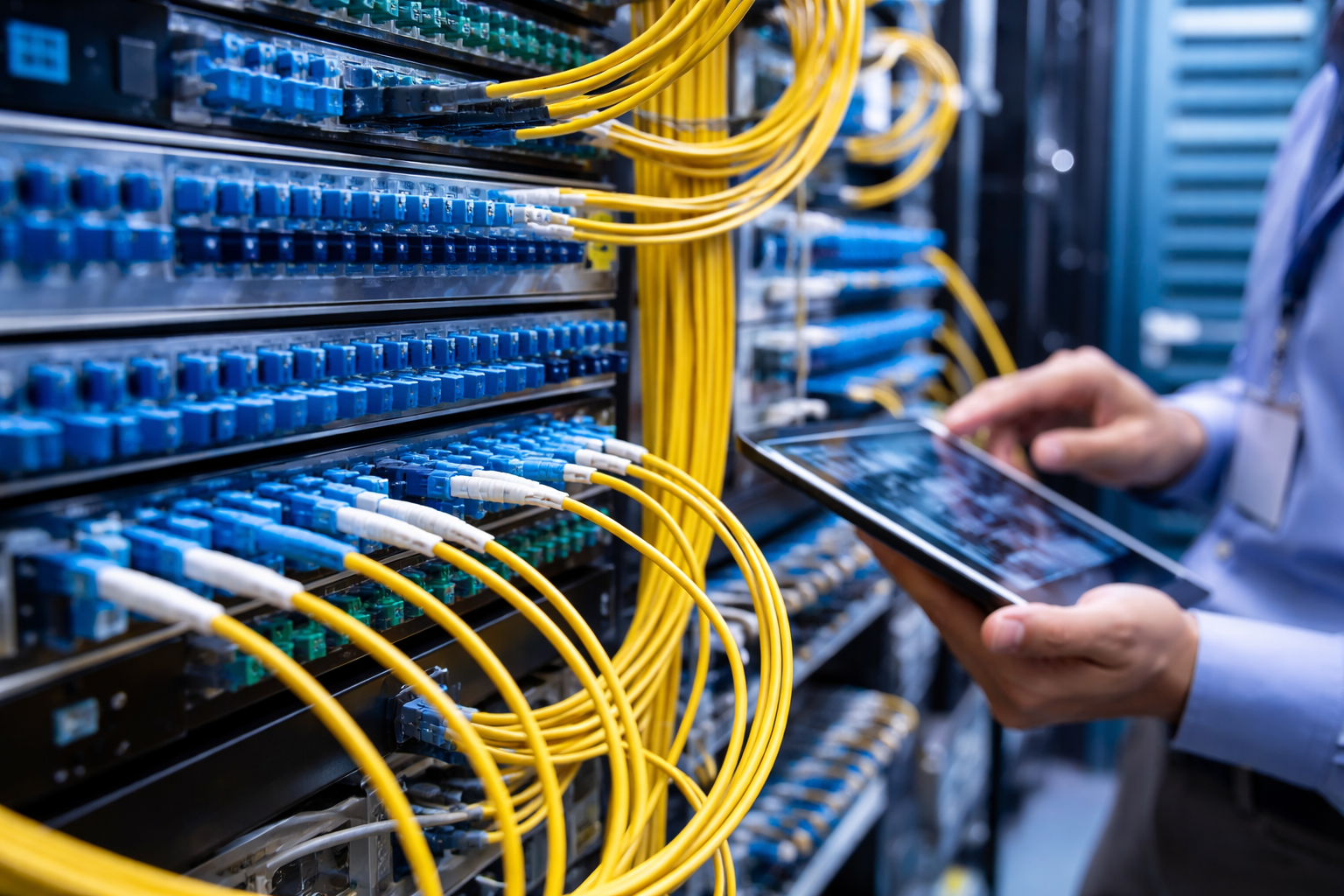
Choosing the right fiber optic supplier in Dubai for your business can feel overwhelming. With so many providers offering enterprise fiber solutions, commercial fiber connections, and business broadband packages, you might wonder: Which one is right for my needs? Whether you’re searching for the best fiber optic supplier Dubai has to offer, evaluating fiber ISP Dubai options, or comparing managed fiber services UAE, this guide will simplify the process. In this article, we’ll walk you through practical, easy‑to‑understand tips to evaluate vendors, assess fiber optic quality, check certifications, and confirm service support. We’ll also cover local context for Dubai businesses, including common concerns like fiber connectivity services Dubai reliability, pricing, installation, and post‑sales support. By the end, you’ll be equipped with clear criteria to choose a supplier that fits your business goals and budget. Why Choosing the Right Supplier Matters for Your Business Dubai is a thriving business hub with high demand for reliable internet. Whether it’s high‑speed fiber internet for business Dubai or dedicated fiber lines for offices UAE, picking the right provider affects your: With businesses depending on cloud services, video conferencing, VoIP, and large data transfers a weak fiber optic supplier choice could lead to slow connectivity, frequent downtime, and frustrated staff or customers. Define Your Business Needs First Before reaching out to suppliers, ask yourself: What type of service do I need? Also determine: Tip: Write down your network needs to compare against supplier offerings. Compare Available Fiber Optic Providers in Dubai Use a checklist when comparing providers: Local businesses in Dubai often rely on firms that provide both fiber optic infrastructure Dubai and responsive maintenance services. Quality Checks: What to Look For When vetting fiber optic suppliers UAE, quality should be at the top of your criteria. Certifications and Standards Ask if they comply with: These guarantee network performance, safety, and reliability. Network Redundancy Top fiber vendors provide multiple network routes to prevent service interruptions during failures or maintenance. Service Level Agreements (SLAs) A strong SLA should include: Check Real User Reviews and Local References Before signing with a fiber optic company Dubai, look for: Real business reviews give insight into: Evaluate After‑Sales Service and Technical Support Good service doesn’t stop after installation. Ask potential suppliers: Reliable fiber connectivity services Dubai should include ongoing support, training, and maintenance. Consider Scalability and Future Needs As your business grows, your network demands may too. Choose suppliers who: Future‑ready infrastructure protects your investment. Frequently Asked Questions 1. How do I choose a reliable fiber optic supplier in Dubai? To choose a reliable supplier, start by defining your office internet needs, compare offerings from multiple vendors, check certifications and SLAs, read customer reviews, and assess post‑sales support quality. 2. What is the average installation time for fiber optic internet in Dubai? Fiber optic installation in Dubai usually takes 3–7 business days depending on existing infrastructure and office readiness. Larger sites may need longer. 3. Are business fiber plans more expensive than residential ones? Yes, business fiber plans Dubai are designed for higher speed, guaranteed uptime, and stronger support, which can make them costlier than residential plans but worth the investment. 4. How important is customer support from my fiber ISP? Very important strong support ensures faster issue resolution, proactive maintenance, and minimal downtime, keeping your business operations smooth. 5. Can I upgrade my fiber speed after installation? Most suppliers allow speed upgrades. Confirm with your provider about process, fees, and possible downtime before making changes. Conclusion Choosing the right fiber optic supplier in Dubai for your business doesn’t have to be confusing. By clearly defining your needs, comparing trusted vendors, checking quality standards, and evaluating post‑sales support, you can select a provider that gives you reliable, high‑speed fiber connectivity services Dubai businesses depend on. For enterprise fiber solutions Dubai, dedicated fiber lines UAE, and competitive pricing on business grade fiber optic internet UAE, make your decision based on quality, reliability, and support not just the cheapest price. Ready to connect with the best? Explore premium fiber internet plans, expert support, and fast installation at Dconnect, your trusted partner for business fiber solutions in Dubai. Visit now

Top Fiber Optic Suppliers in Dubai 2026: Complete Buyer’s Guide
Fiber optics have revolutionized the way businesses and homes connect in Dubai. With the city pushing for ultra-fast internet and digital infrastructure, having the right fiber optic supplier is crucial for your projects. Whether you’re a telecom provider, IT integrator, or a large enterprise, choosing reliable suppliers ensures high-quality performance, compliance with Etisalat & DU standards, and long-term cost savings. In this guide, we’ve reviewed the best fiber optic suppliers in Dubai 2026, compared their offerings, pricing, and reliability, and shared tips to help you make an informed decision. Why Choosing the Right Fiber Optic Supplier Matters Selecting a trustworthy fiber optic cable supplier in Dubai is not just about price. Quality, certifications, and local support are equally important. Here’s why: Dubai’s fiber optic market is competitive, but careful research ensures your projects run smoothly and meet modern telecom standards. Top Fiber Optic Suppliers in Dubai 2026 Here’s a detailed list of leading fiber optic distributors in UAE with a comparison of their services: 2.1 D-Connect 2.2 Al Yah Satellite Communications 2.3 Gulf Optical 2.4 FiberLink UAE 2.5 Emirates Fiber Solutions Types of Fiber Optic Cables Available in Dubai Understanding cable types helps you select the right supplier for your project. 3.1 Single-Mode Fiber Optic Cable 3.2 Multimode Fiber Optic Cable 3.3 Armoured Fiber Optic Cables 3.4 FTTH (Fiber to the Home) Cables 3.5 Fiber Optic Accessories How to Choose a Fiber Optic Supplier in UAE When selecting a fiber optic supplier Dubai, consider the following: Pricing Trends for Fiber Optic Cables in Dubai Fiber optic cable pricing depends on type, mode, and length: Tip: Always request quotations from multiple suppliers to compare bulk rates and shipping costs. Local Insights for Buyers in Dubai FAQs About Fiber Optic Suppliers in Dubai Q1: What are the best fiber optic suppliers in Dubai? The top suppliers include D-Connect, Al Yah Satellite Communications, Gulf Optical, FiberLink UAE, and Emirates Fiber Solutions, all offering reliable, Etisalat & DU approved cables. Q2: Where to buy high-quality fiber optic cables in Dubai? You can buy from local suppliers like D-Connect or FiberLink UAE, offering both single-mode and multimode options with fast delivery. Q3: Fiber optic cable price Dubai per meter? Prices range between AED 3–15 depending on the type, mode, and whether it is armoured or standard. Bulk discounts are common. Q4: How to choose a fiber optic supplier in UAE? Check certifications, product range, pricing, local support, and reputation. Etisalat & DU approval is essential. Q5: Difference between single-mode and multimode fiber optic cables? Single-mode is ideal for long distances with minimal signal loss, while multimode is used for short-distance, high-speed connections within buildings. Conclusion Choosing the right fiber optic supplier Dubai ensures your network is reliable, efficient, and compliant with UAE standards. Suppliers like D-Connect and FiberLink UAE offer a wide range of cables, competitive pricing, and local support for faster project execution. Ready to upgrade your network with high-quality fiber optic solutions? Contact D-Connect’s offerings today for fast delivery and expert support
Outdoor Fiber Optic Cable Installation: Tips for Aerial, Buried, and Direct-Burial Methods in the UAE
Fiber optic cable installation is critical to ensuring high-speed, reliable network connections, especially when setting up an outdoor network in areas like the UAE, where extreme weather conditions and diverse landscapes can pose challenges. Whether you’re planning to install fiber optics for business, residential, or infrastructure purposes, understanding the best practices for different installation methods, be it aerial, buried, or direct-burial is key to achieving long-term performance and durability. In this article, we’ll explore the different outdoor fiber optic cable installation methods, provide expert tips on choosing the right approach for your project, and outline the best practices for each method. From selecting the appropriate materials to ensuring correct handling and installation in harsh environments, you’ll gain insights that will guide you through the entire process. Whether you’re in the UAE or another region of the GCC, the proper installation of outdoor fiber optic cables is essential for success. Let’s dive into how to make your fiber optic installation project efficient, cost-effective, and future-proof. Understanding the Three Main Installation Methods for Outdoor Fiber Optic Cables When installing outdoor fiber optic cables, there are three primary methods: aerial, buried, and direct-burial. Each method has its unique considerations, including installation processes, costs, and environmental factors. Here’s a breakdown of each method: Aerial Installation Aerial installation involves suspending the fiber optic cables above the ground, typically on utility poles. This method is common in urban environments and areas with a pre-existing network of telephone or power lines. Best Practice Tips for Aerial Installation: Buried Installation Buried fiber optic cables are installed underground, typically in a trench or conduit. This method is commonly used in areas where aerial installation is impractical or undesirable. Best Practice Tips for Buried Installation: Direct-Burial Installation Direct-burial fiber optic cables are designed to be buried directly in the ground without the need for additional conduit. These cables have a robust, weather-resistant jacket to withstand harsh environmental conditions. Best Practice Tips for Direct-Burial Installation: Choosing the Right Fiber Optic Cable for Each Installation Method Selecting the appropriate cable type for each installation method is critical to ensuring longevity and performance. Key factors to consider include: Preparing for Outdoor Fiber Optic Cable Installation Proper preparation is key to a successful installation. Here’s what you need to consider before installation: Installation Process: Step-by-Step Aerial Installation: Buried Installation: Direct-Burial Installation: Maintenance and Troubleshooting Outdoor Fiber Optic Cables Once your fiber optic cable is installed, regular maintenance is essential to ensure long-term performance. Keep these best practices in mind: FAQ 1. What is the difference between buried and direct-burial fiber optic cables? Buried cables use protective conduits, while direct-burial cables are designed to be buried without additional protection. Both methods require moisture-resistant and durable cables. 2. Can fiber optic cables be installed in extreme temperatures? Yes, outdoor fiber optic cables are designed to withstand extreme temperatures. However, proper insulation and weather-resistant materials should be used in harsh climates. 3. What is the most cost-effective fiber optic installation method? Aerial installation is generally the most cost-effective method, as it doesn’t require digging trenches or purchasing additional materials like conduits. 4. Do I need special permits for fiber optic cable installation? In most cases, you will need to secure permits for digging trenches or installing poles, especially if the installation is near public or restricted areas. 5. How deep should fiber optic cables be buried? Fiber optic cables should be buried at least 18 to 24 inches underground to protect them from physical damage. 6. How do I protect fiber optic cables from rodents? Use armored cables or place fiber optic cables in conduits designed to deter rodents from chewing through them. 7. Can fiber optic cables be installed underwater? Yes, fiber optic cables can be installed underwater, but special cables rated for underwater use and proper sealing techniques must be used. 8. How do I maintain fiber optic cables outdoors? Regular inspections for physical damage, environmental wear, and testing for signal degradation will help maintain fiber optic cables outdoors. 9. What type of fiber optic cable is best for long-distance outdoor use? Single-mode fiber optic cables are ideal for long-distance outdoor use as they allow signals to travel longer distances with minimal loss. 10. What tools are needed for fiber optic cable installation? Tools include a fiber optic stripper, splicing tools, trenching equipment, and testing equipment to ensure the proper installation and functioning of the cables. Conclusion Choosing the right outdoor fiber optic cable installation method, whether aerial, buried, or direct-burial is critical for ensuring long-term reliability and performance. By following best practices and considering environmental factors, you can ensure a successful installation that meets your needs. Ready to install fiber optic cables for your project? Contact us today for expert advice, high-quality cables, and professional services tailored to your needs.